Detailed Guide
Step-by-step walkthrough
Everything you need to know, from first login to sharing with your care team.
1
Go to family.kidooo.ai
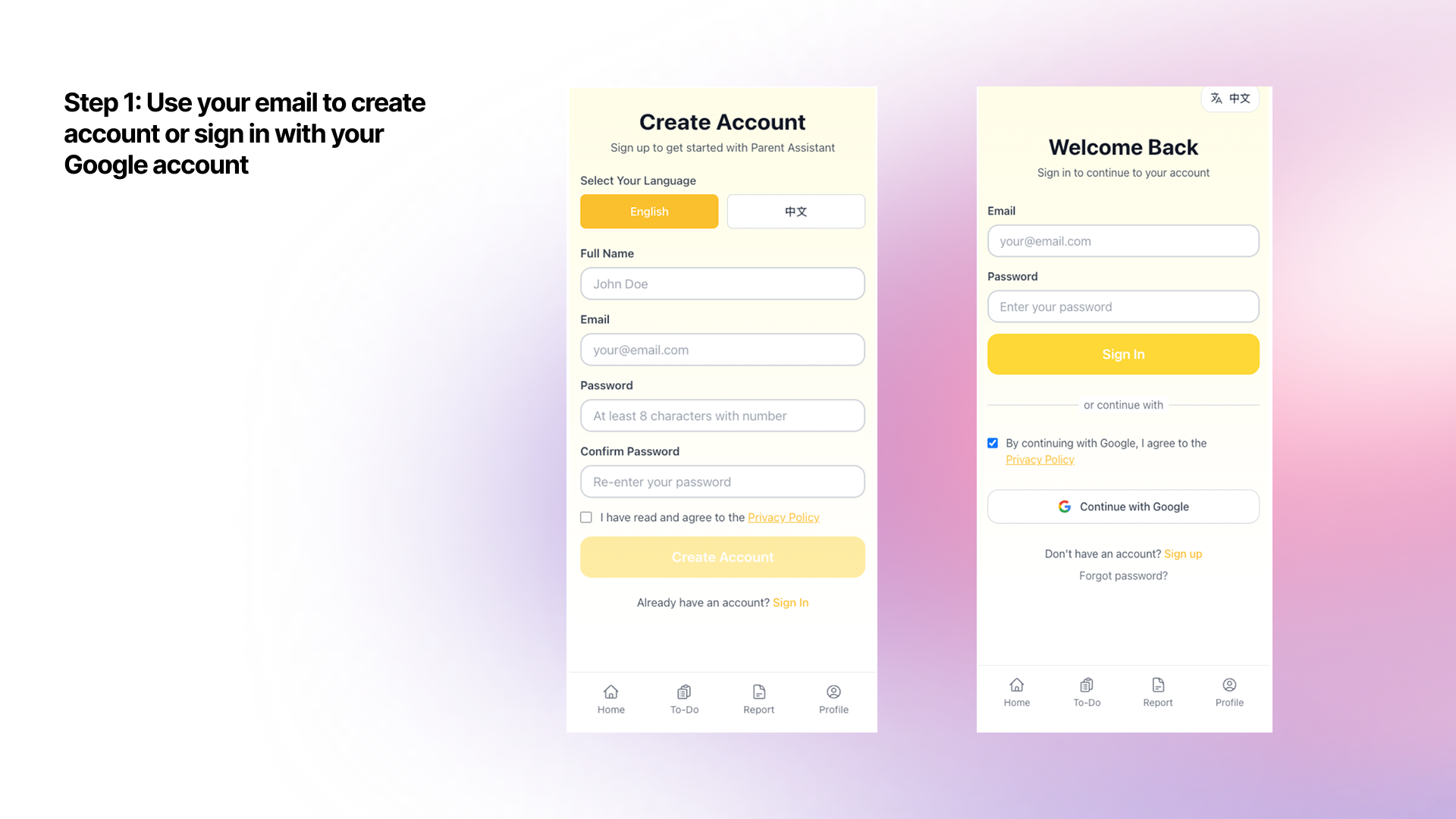
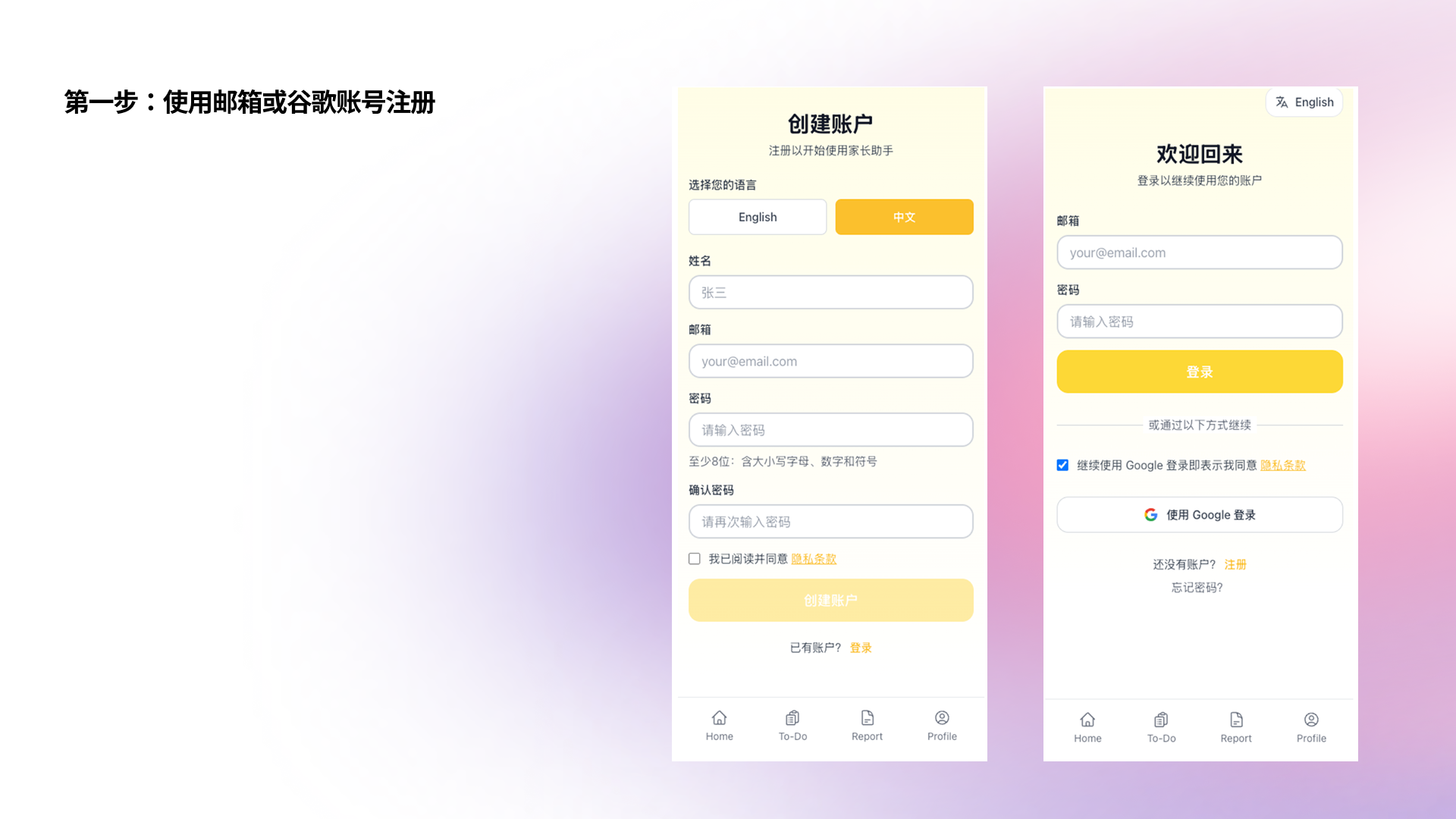
Open your phone browser or computer browser and navigate to family.kidooo.ai. Tap "Sign Up" to create a new account. Enter your email address and create a password. You can also sign in directly with your Google account.
2
Verify your email
Check your inbox for a verification email from Kidooo. Click the link inside to confirm your account. Check your spam folder if you don't see it within a few minutes.
3
Add your child's profile
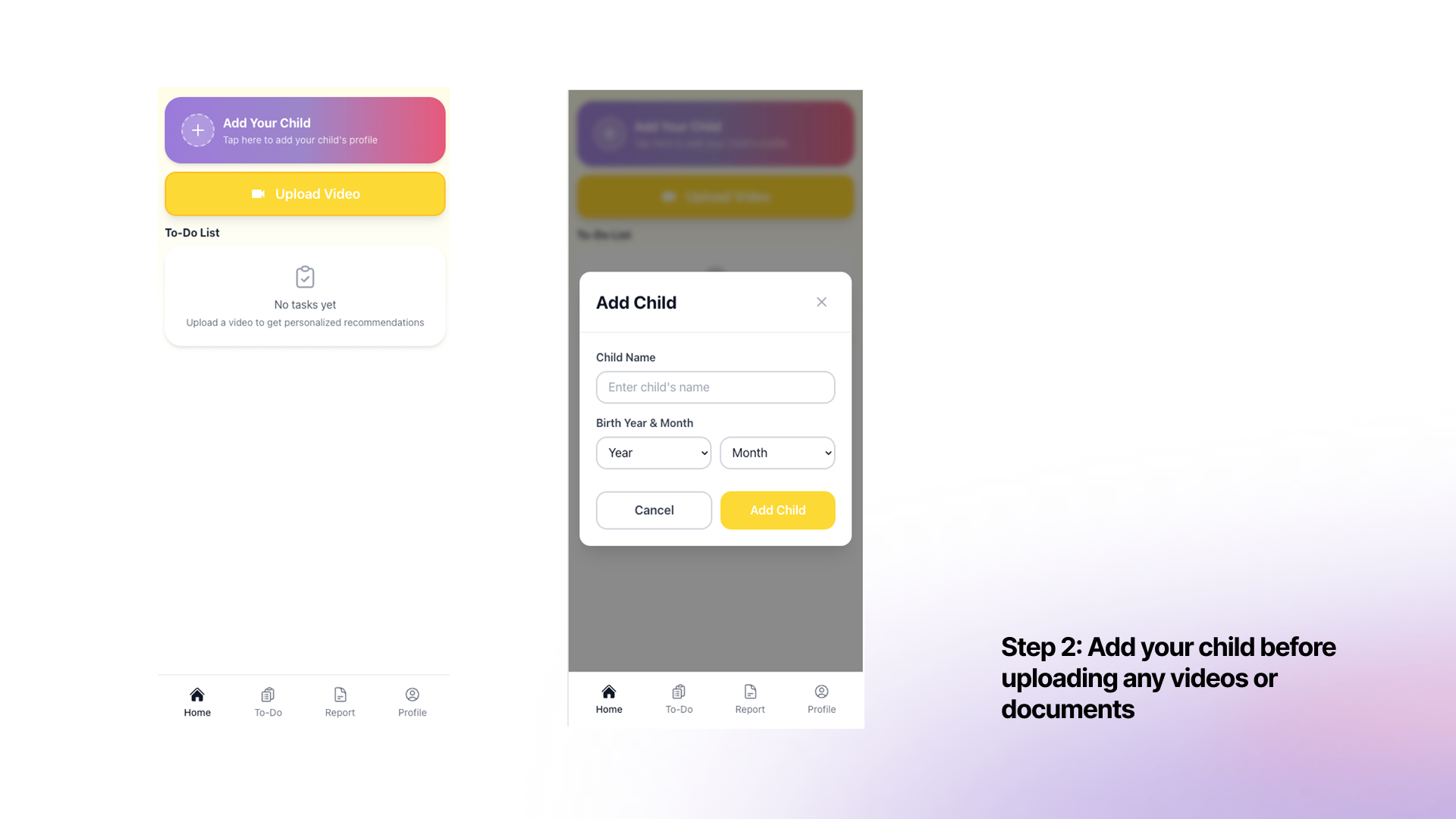
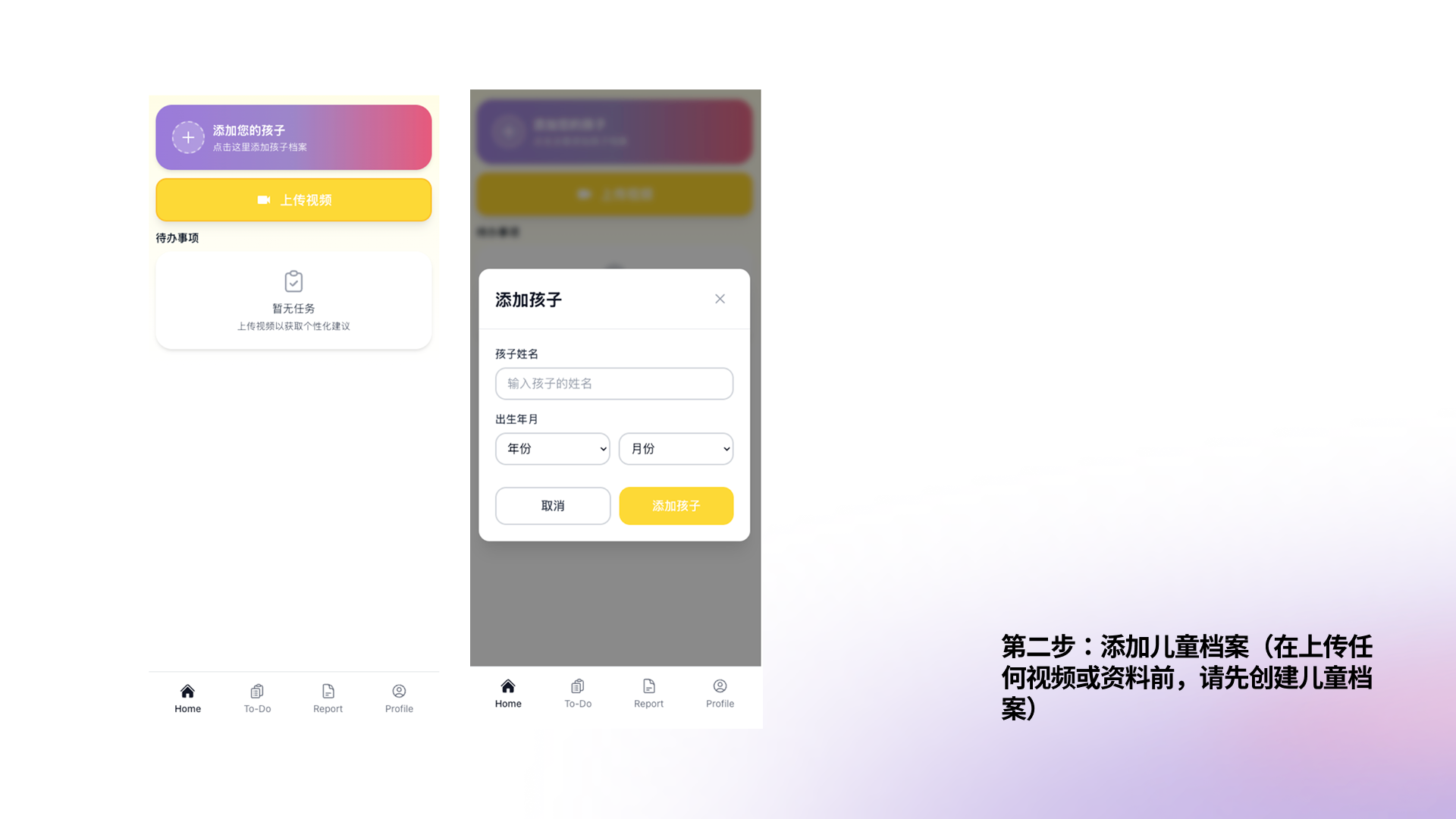
On the home screen, tap "Add Your Child". Enter your child's name and birth year & month, then tap "Add Child". This creates a dedicated profile for AI insights and uploaded materials.
💡 You can add multiple children under one account. All data is kept separate and private per child.
1
Length: 10 to 60 seconds
Shorter clips (10–30 seconds) work great for specific moments. Longer clips (up to 60 seconds) are useful when you want to capture a full sequence, like a meltdown from trigger to resolution.
2
What to capture
Try to keep your child's face and body visible. Natural lighting works fine — you don't need special equipment. Capture real moments: transitions, mealtimes, school arrival, playtime, before-bed routines, or any behavior you've been wondering about.
3
Don't worry about being perfect
The AI works with imperfect, real-life footage. Shaky camera, background noise, or partial views are all fine. What matters most is capturing the actual behavior — not film quality.
💡 Common moments parents record: after-school transitions, morning routines, mealtime behaviors, sibling interactions, reactions to "no", and sensory play.
1
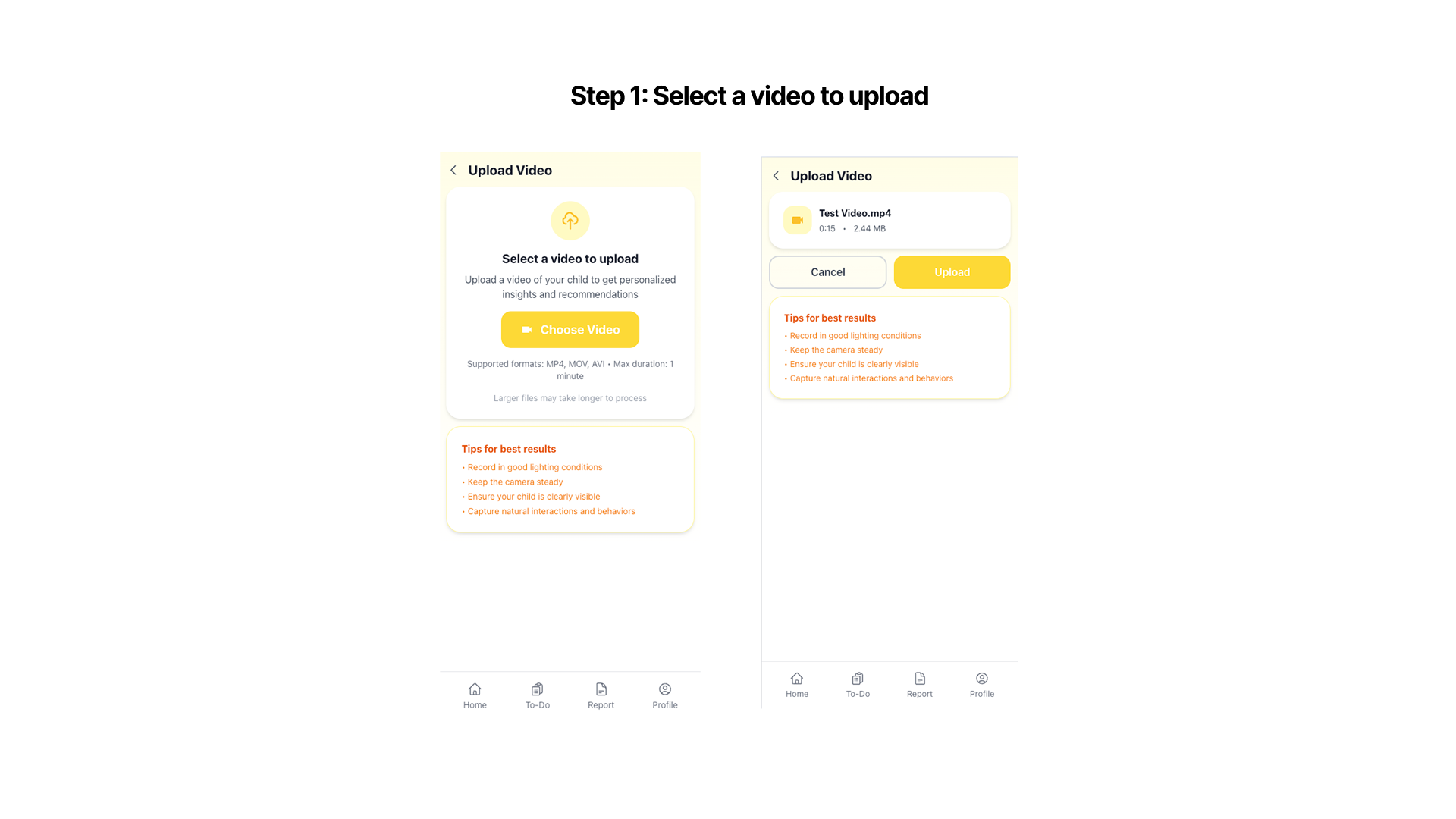
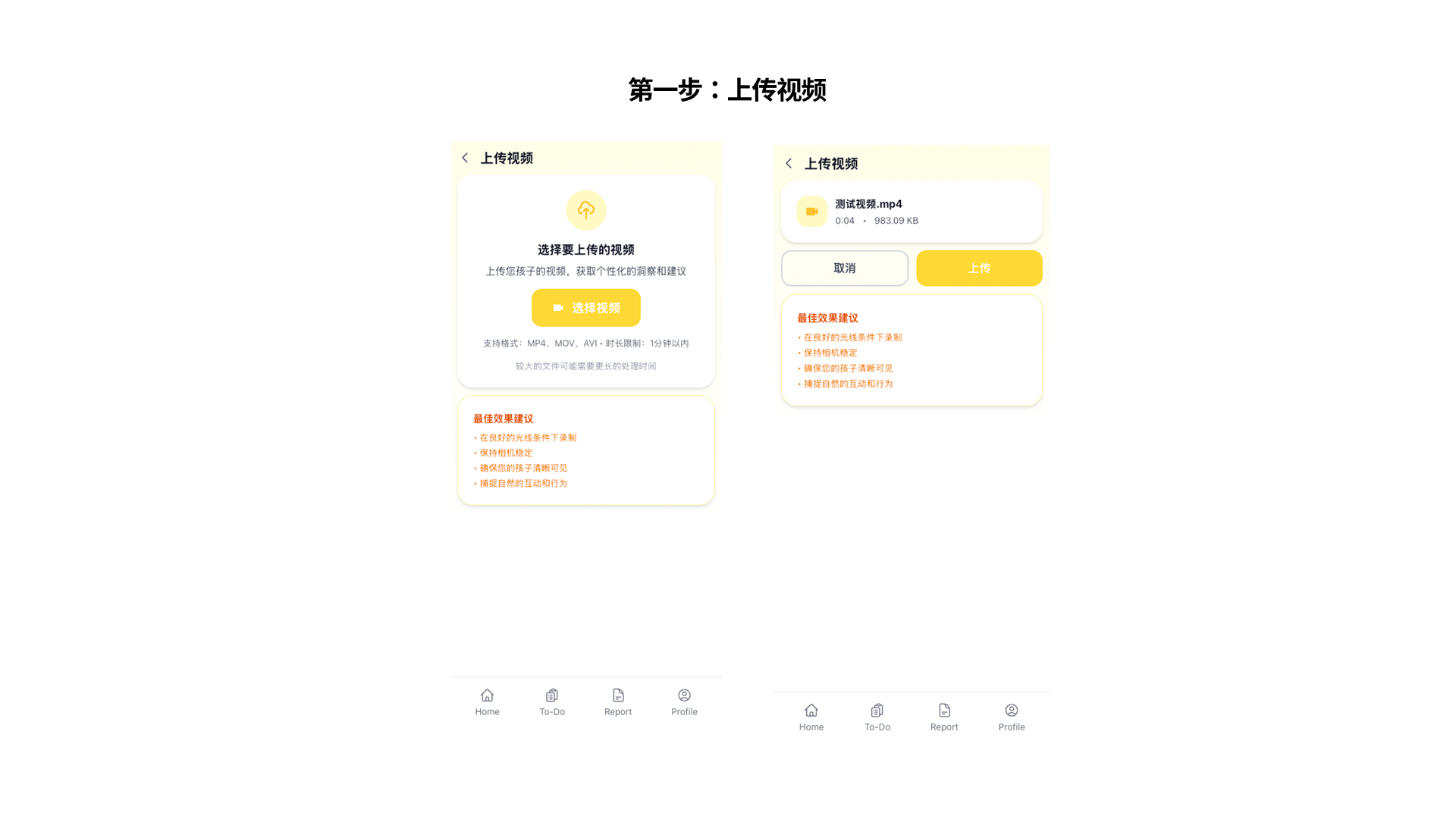
Tap "Upload Video" on the home screen
From the home screen, tap the yellow "Upload Video" button. Select a video from your camera roll. You'll see a confirmation screen with the file name — tap "Upload" to send it for AI analysis. Tips for best results are shown on screen.
2
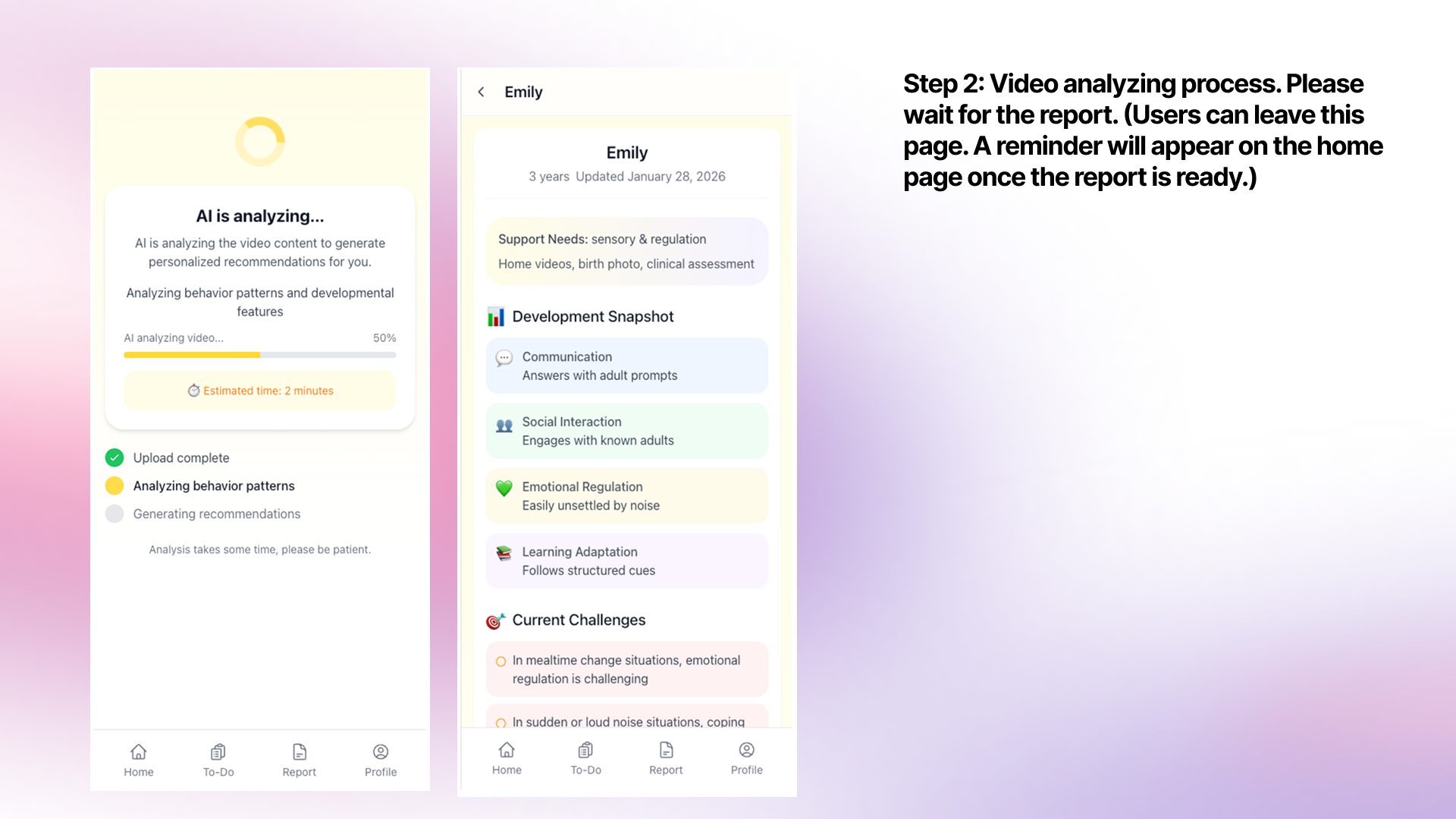
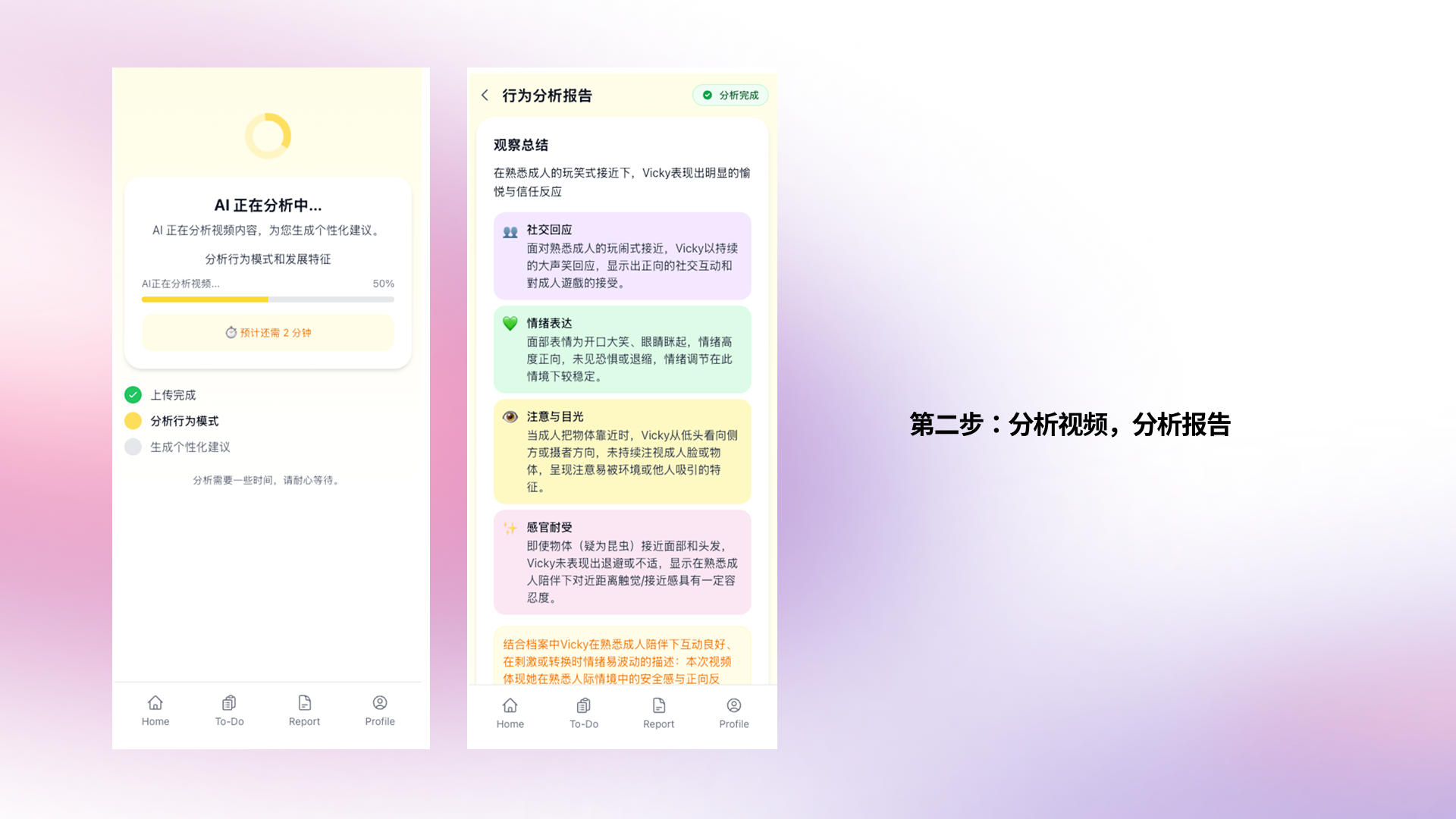
AI is analyzing your video
After uploading, the AI will begin analyzing the video. You can leave this page — a notification will appear on the home screen once the report is ready. The analysis typically takes 1–3 minutes.
3
Read your report
Once ready, the report shows a Development Snapshot, Communication, Social Interaction, Emotional Regulation, Learning Adaptation, and Current Challenges — all in plain, jargon-free language.
💡 Supported formats: MP4, MOV, AVI (most phone videos). Max duration: 1 minute. Larger files may take longer to process.
1
Review "Key Actions You Can Take"
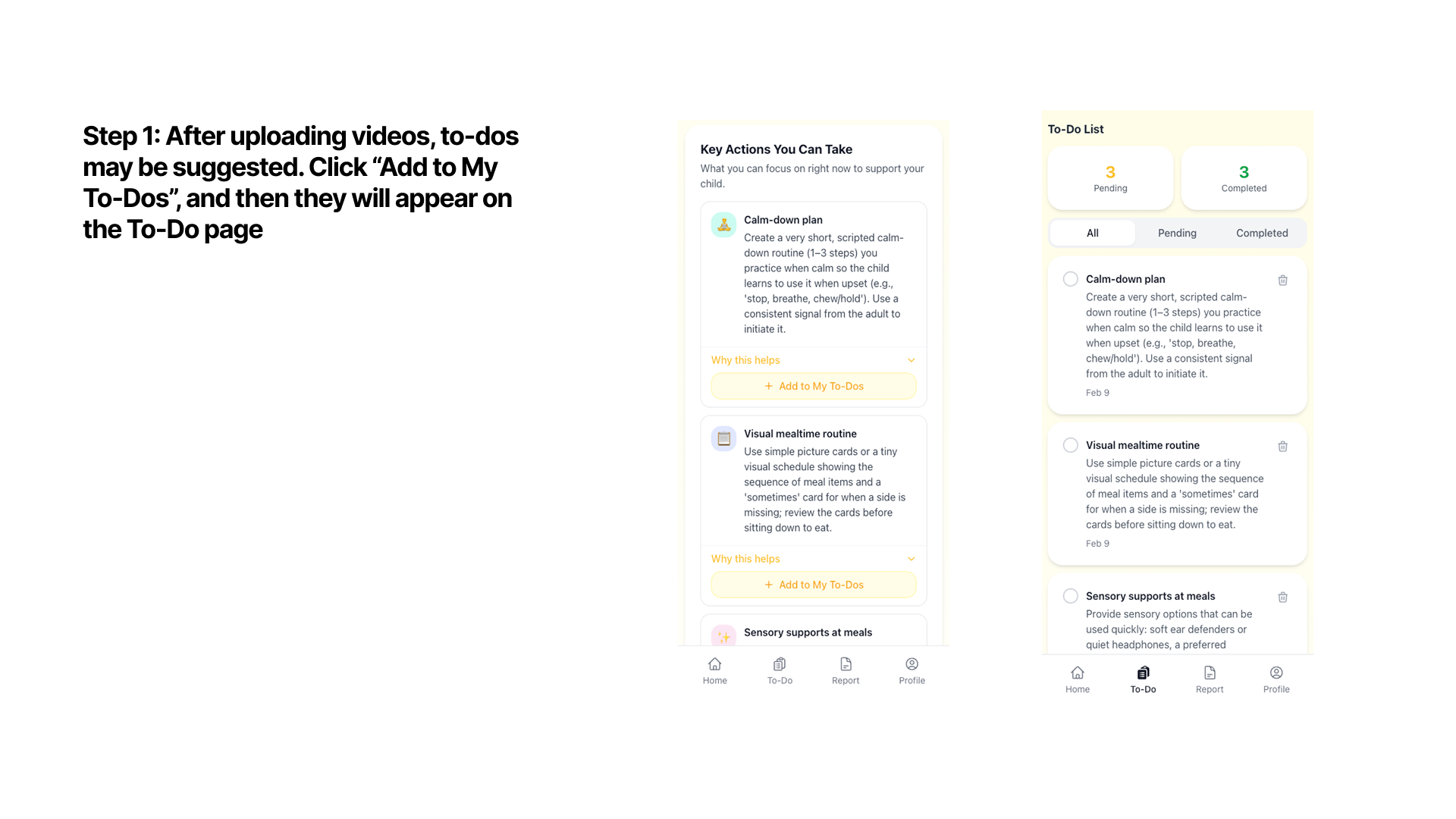
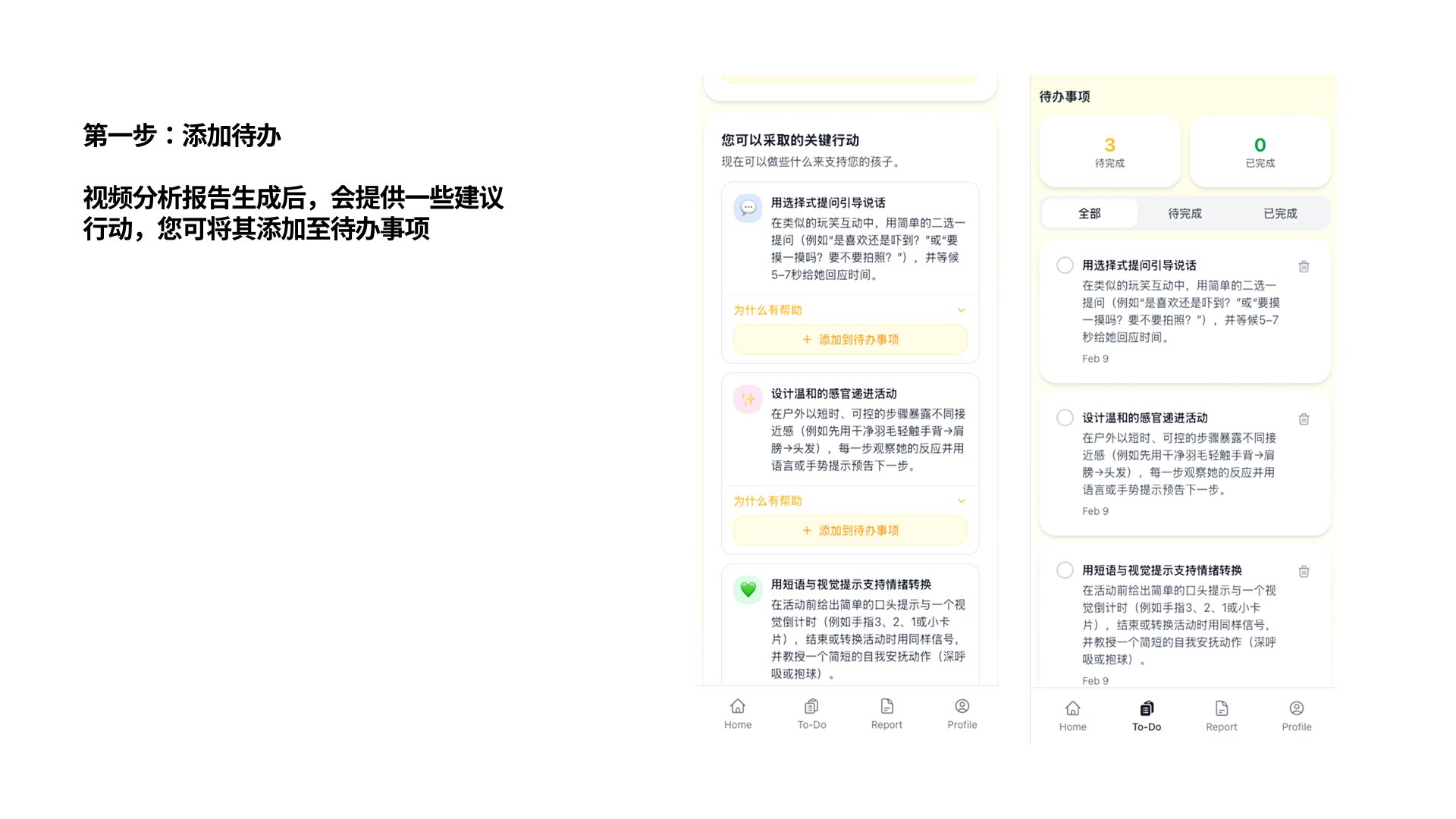
After a video report is generated, scroll down to see "Key Actions You Can Take" — a personalized list of strategies tailored to your child's observed behaviors. Each suggestion includes a brief explanation and a "Why this helps" section.
2
Add to your To-Do list
Tap "+ Add to My To-Dos" on any suggestion to save it. Added items will appear on the To-Do page where you can track Pending and Completed tasks. This keeps all your action items organized in one place.
3
Track your progress
On the To-Do page, switch between All / Pending / Completed to review your tasks. Mark items as done when you've tried them. Over time, this builds a record of what strategies you've explored for your child.
💡 Kidooo is not a medical device and does not provide diagnoses. Use these suggestions as practical starting points — always rely on your own judgment and consult your care team for clinical decisions.
1
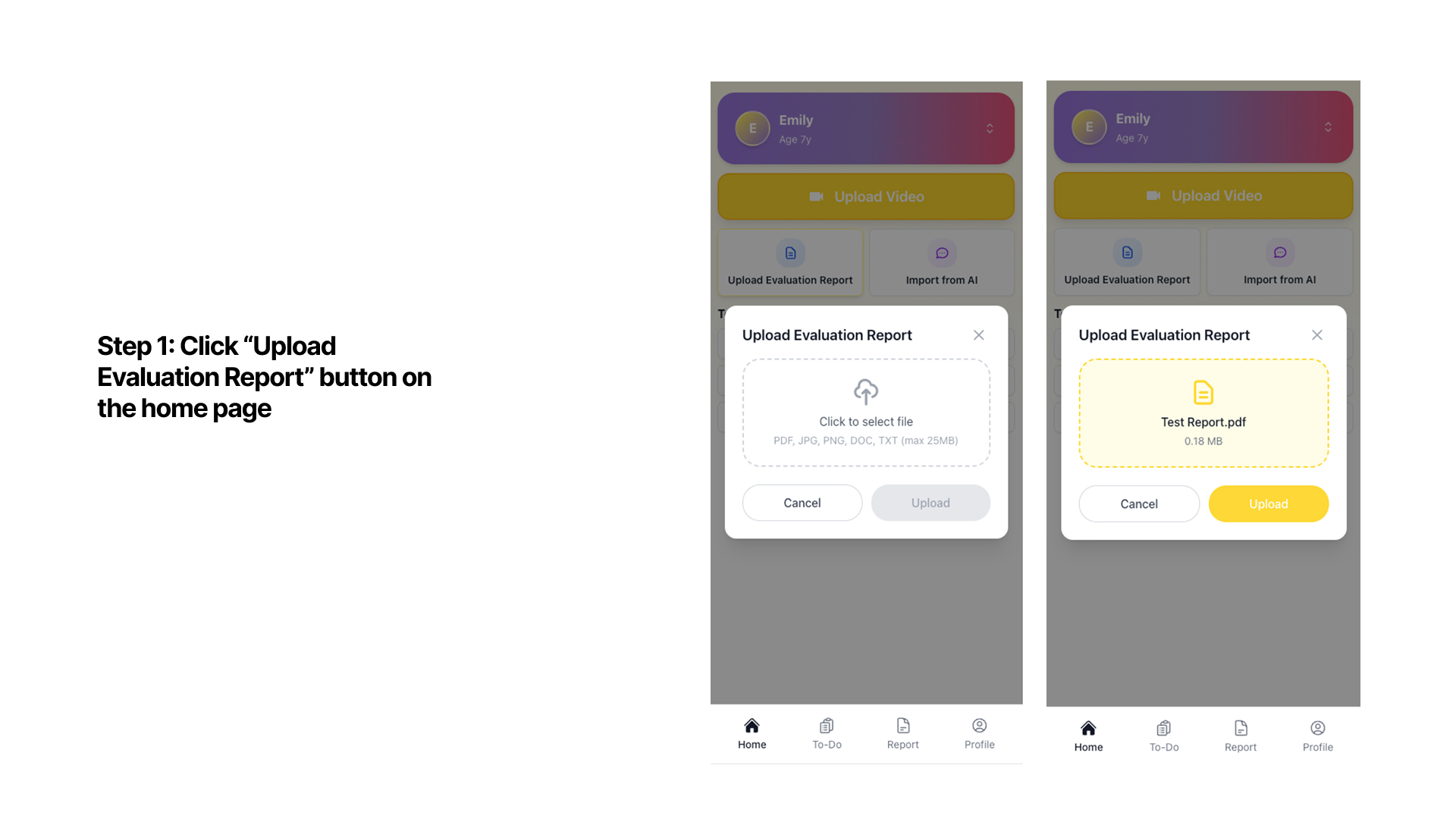
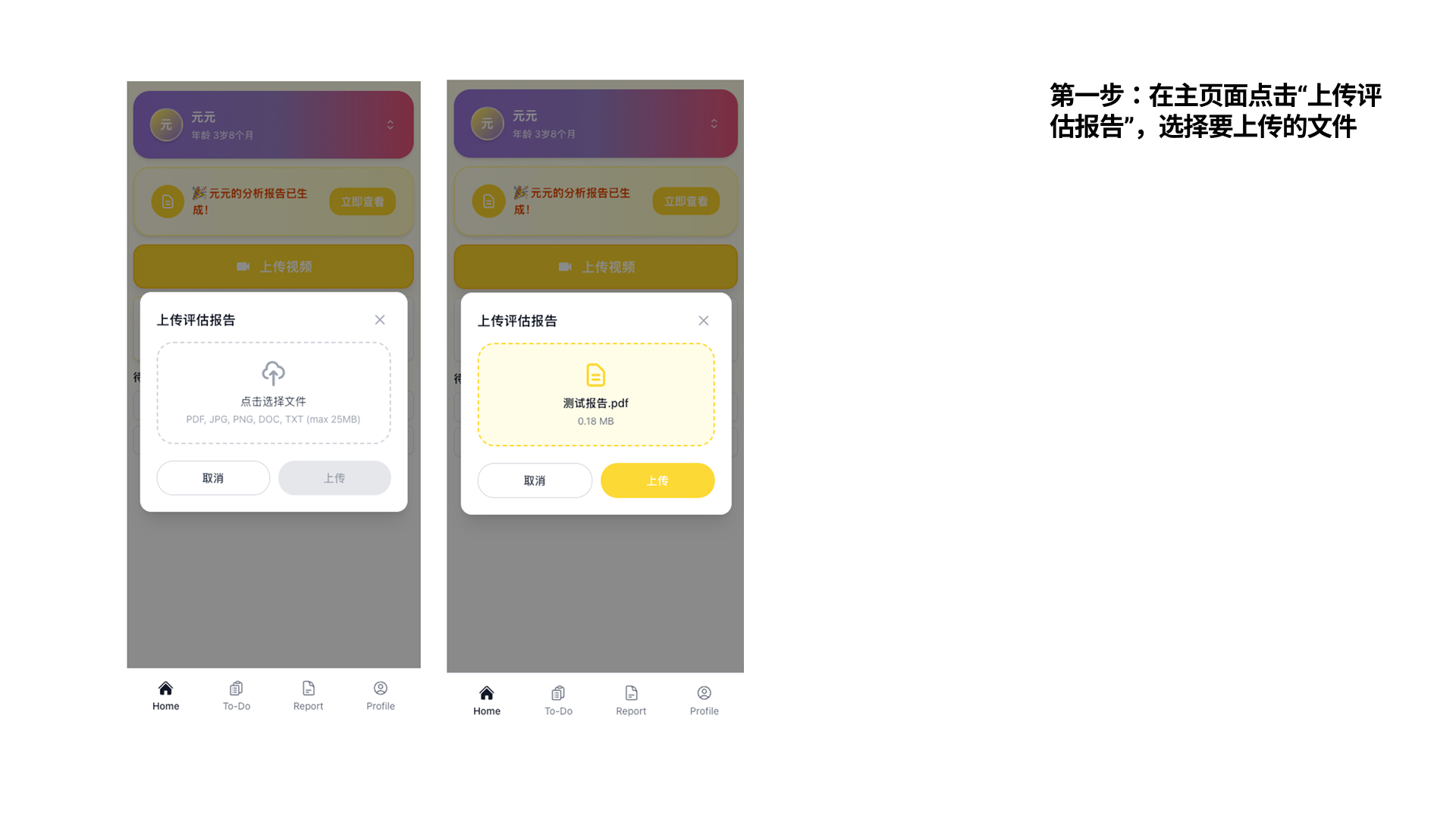
Tap "Upload Evaluation Report" on the home page
On the home screen, tap "Upload Evaluation Report". A dialog will open — tap to select your file (PDF, JPG, PNG, DOC, TXT, max 25MB). After selecting, tap "Upload" to send it for AI analysis. The AI will process the document and generate a structured summary.
2
View the AI summary of the report
Once processed, the AI generates a plain-language summary of the evaluation. To find it: go to Profile → choose your child → "View Profile" → scroll to "Uploaded Documents" at the bottom. Tap the document to read the full AI summary.
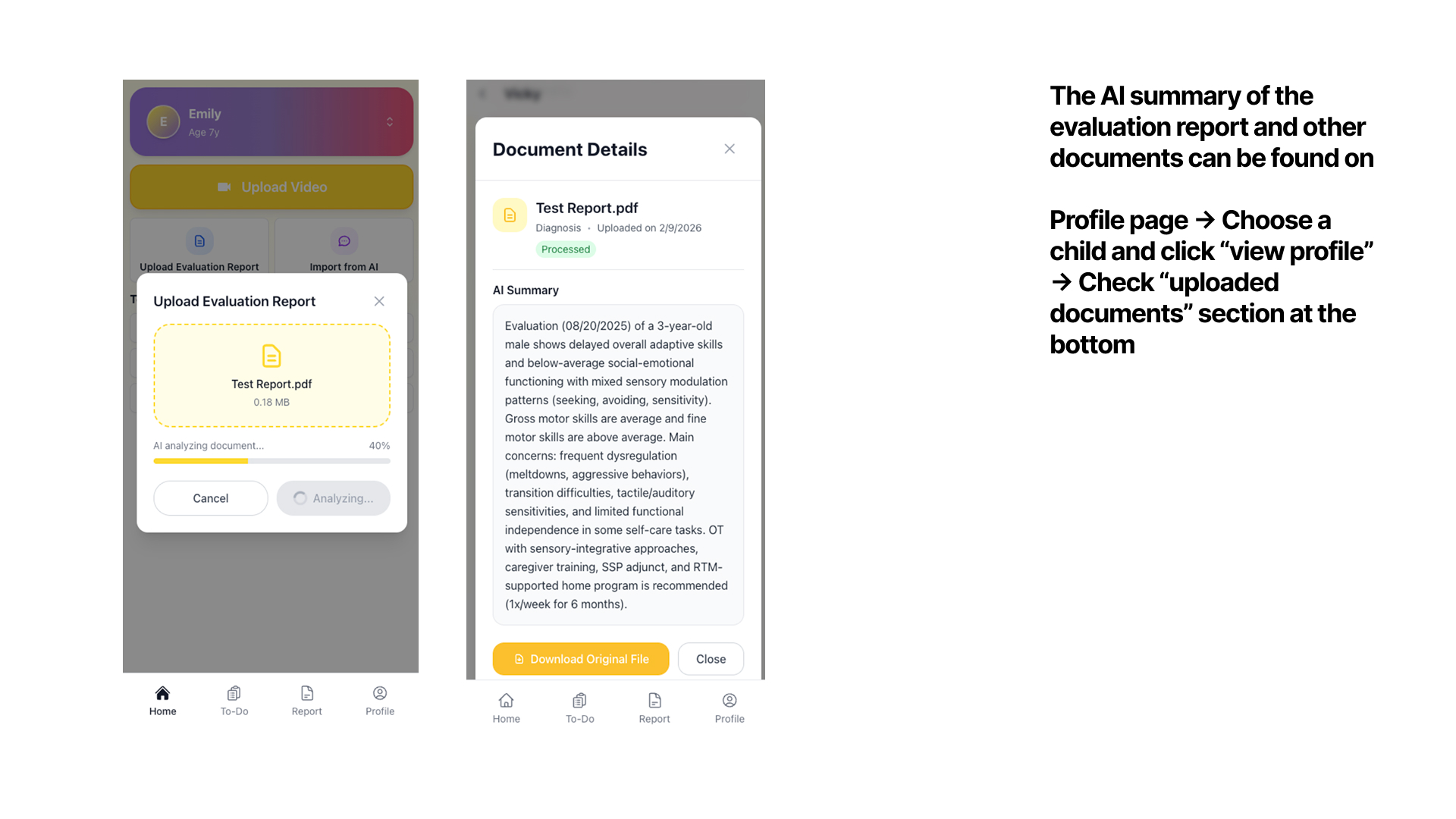
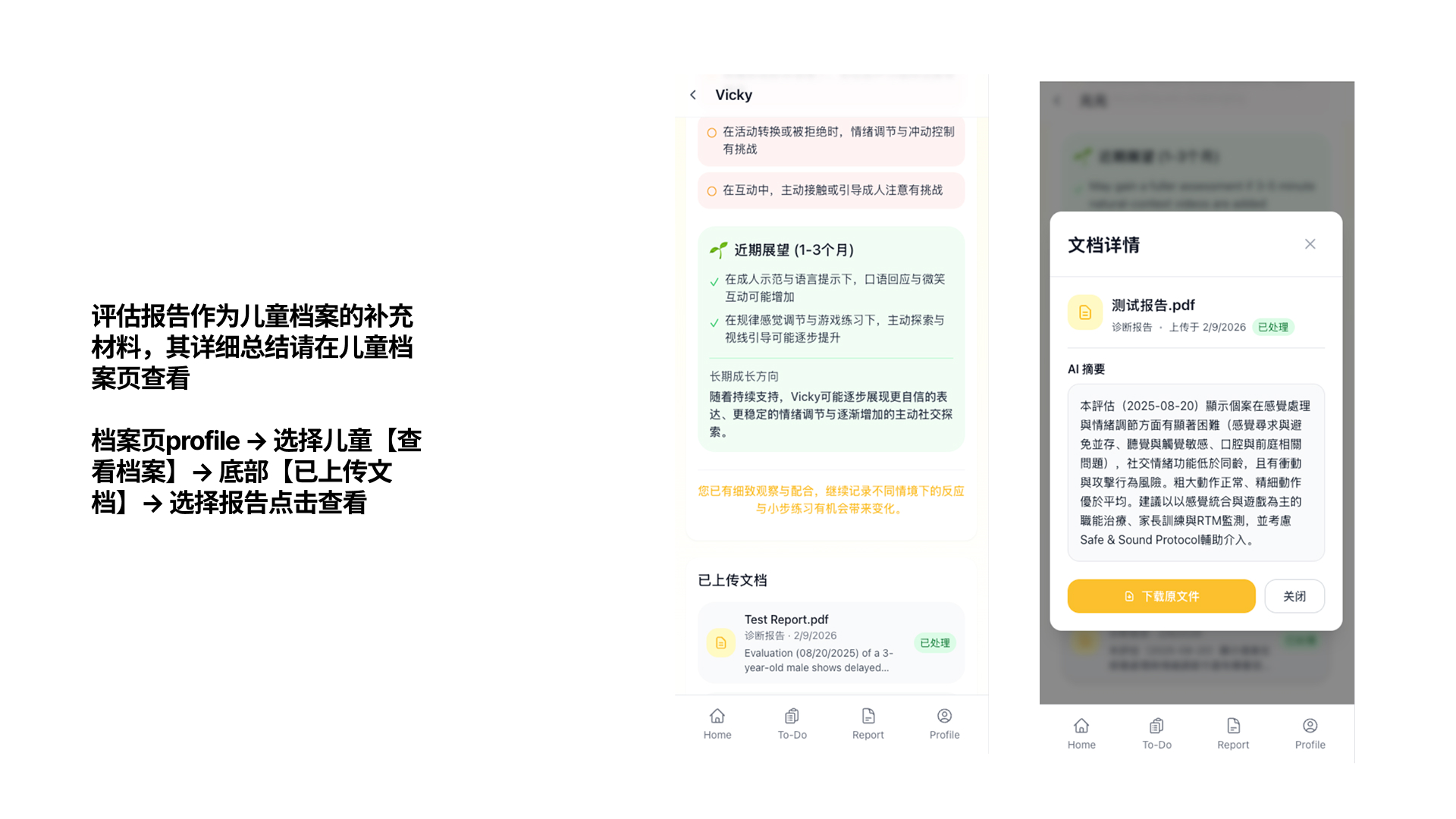
💡 You can upload IEPs, clinical assessments, OT/speech evaluations, and other therapy documents. The AI summarizes key findings so you can quickly understand what the report says without wading through clinical jargon.
1
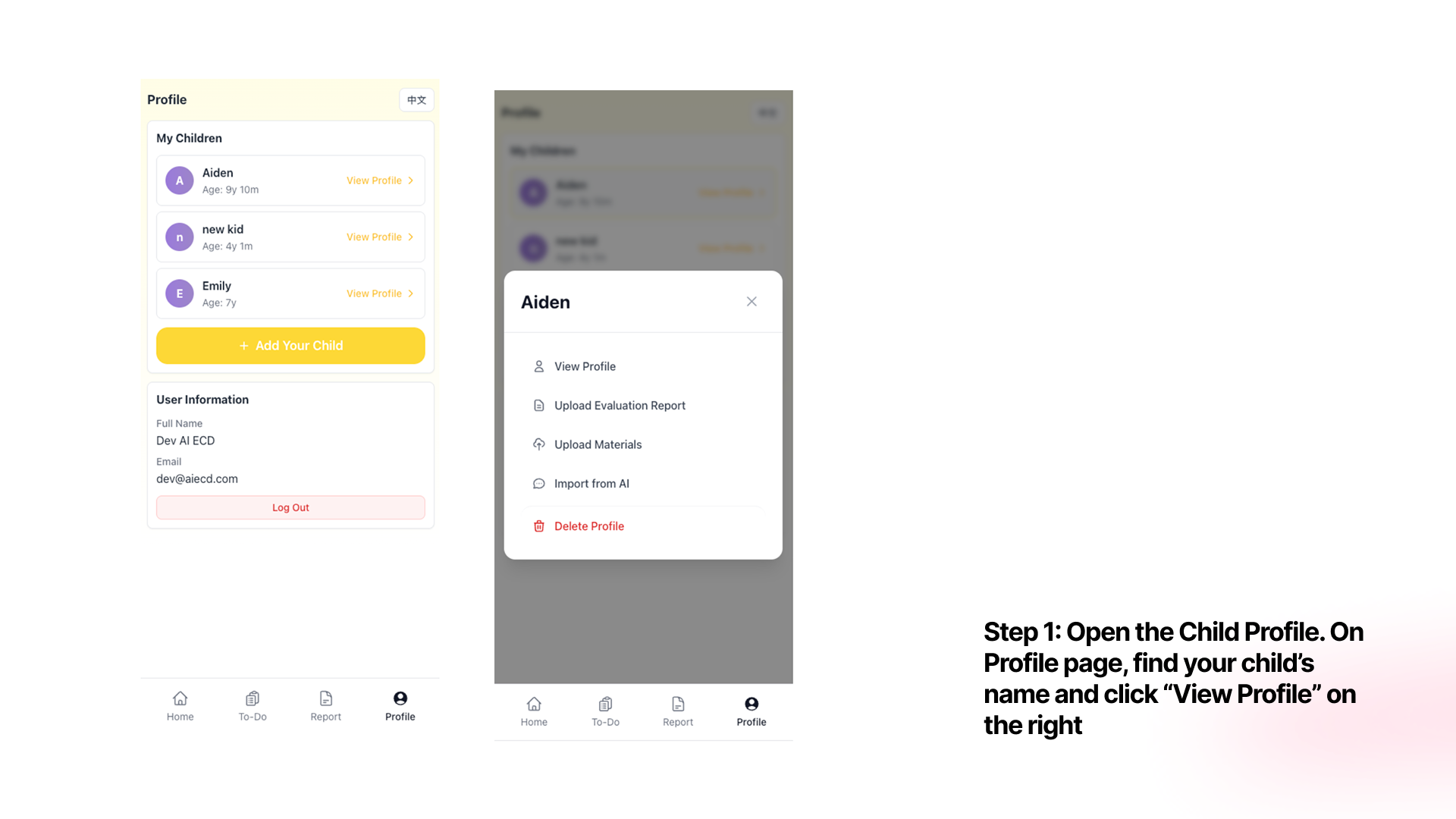
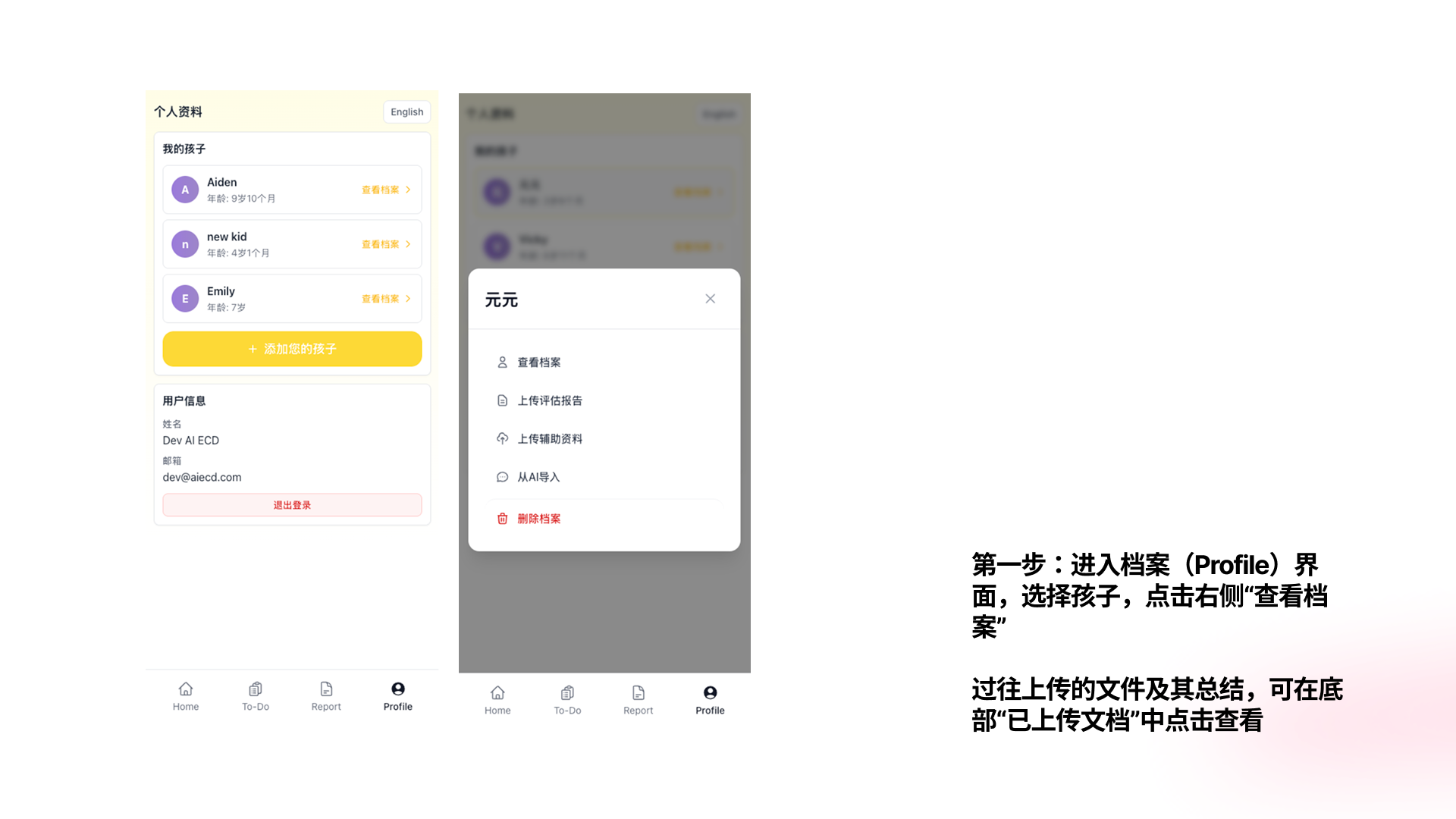
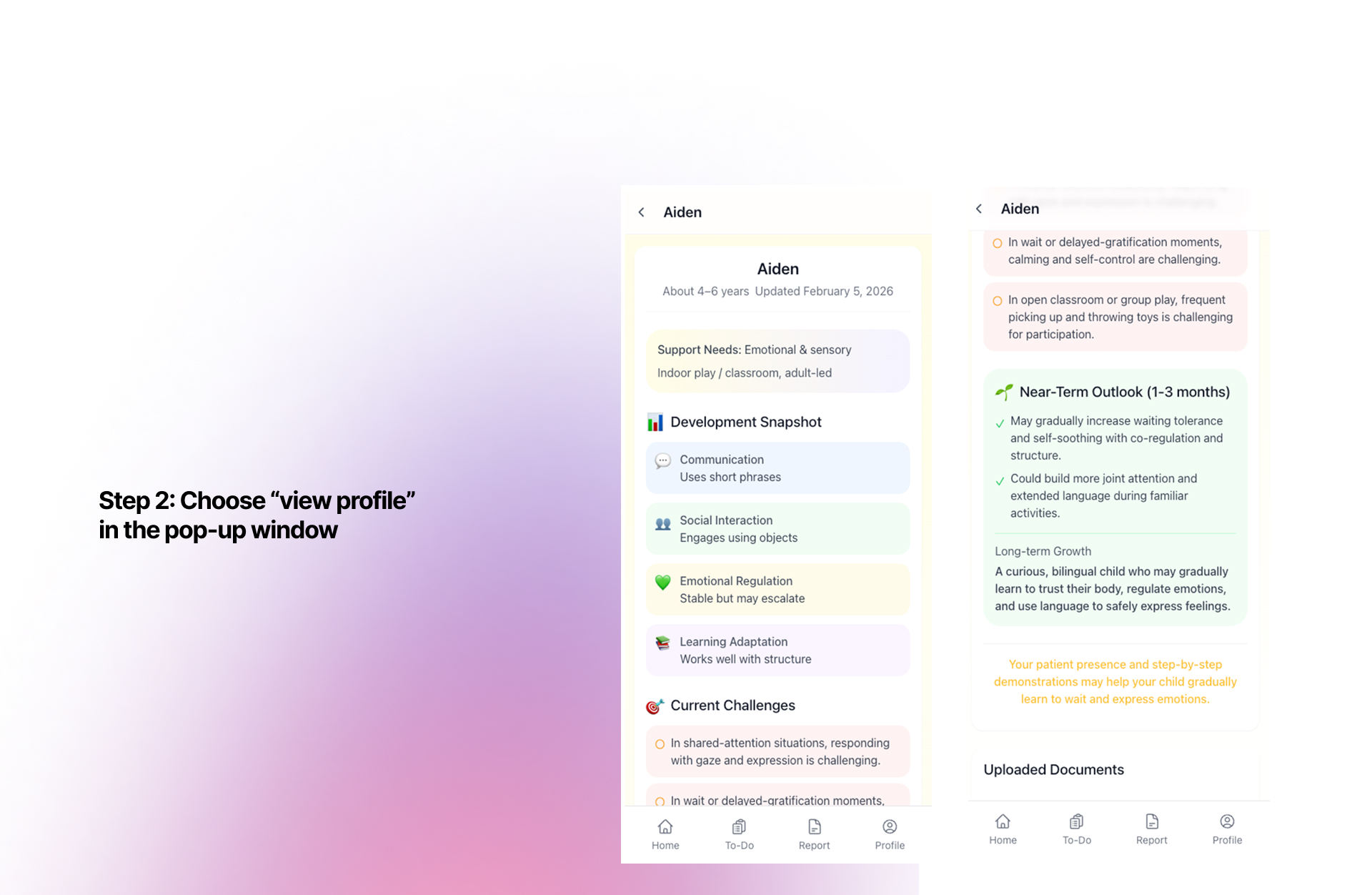
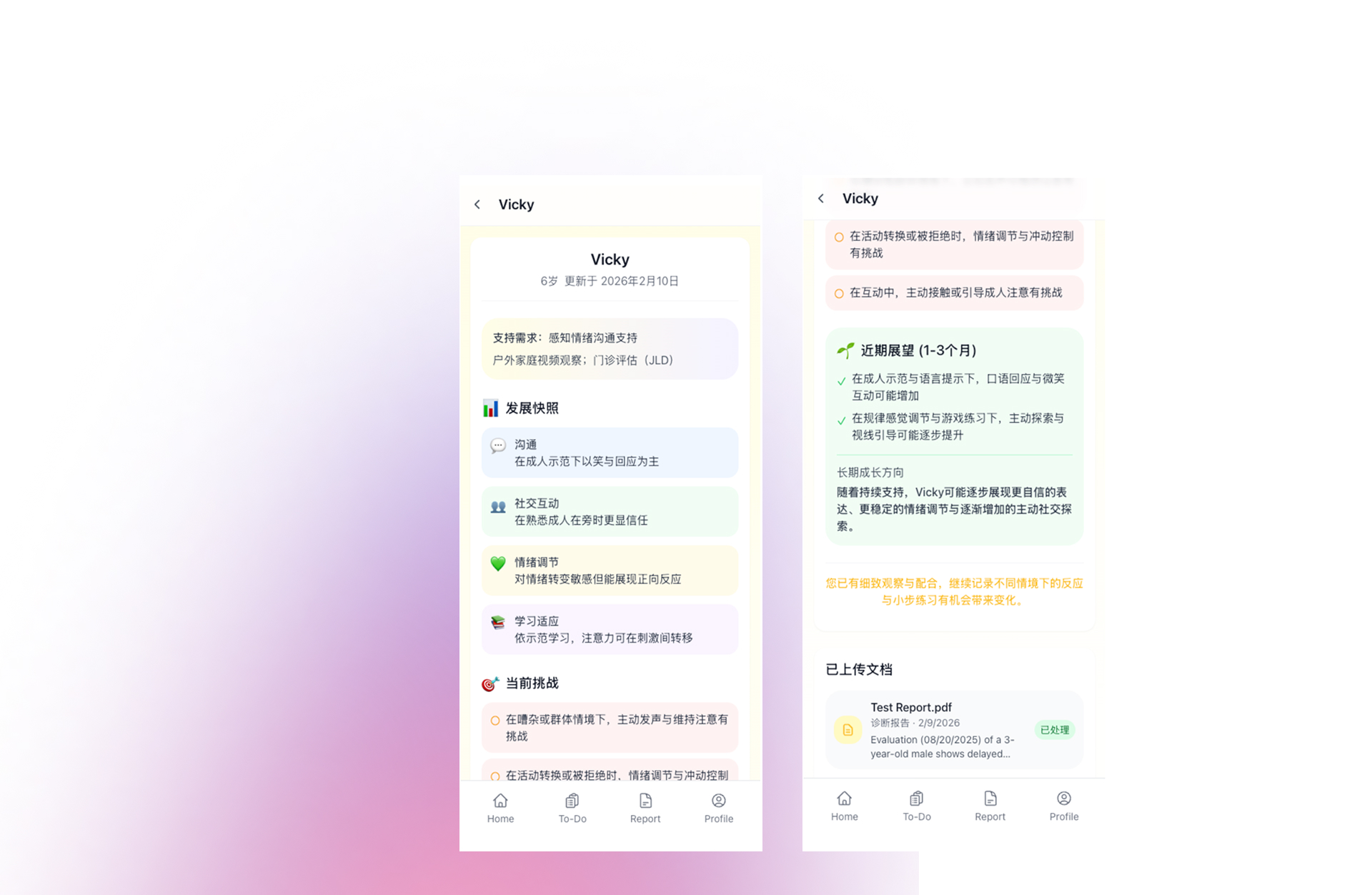
Open your child's profile
Go to the Profile tab at the bottom of the screen. Find your child's name and tap "View Profile" on the right. You can also tap your child's name to open a quick menu with options: View Profile, Upload Evaluation Report, Upload Materials, Import from AI, and Delete Profile.
2
Read the development snapshot & history
The profile page shows a Development Snapshot (Communication, Social Interaction, Emotional Regulation, Learning Adaptation), Current Challenges, and Near-Term Outlook. Scroll to the bottom to see Uploaded Documents — all evaluation reports and their AI summaries.
3
Import from AI (ChatGPT, etc.)
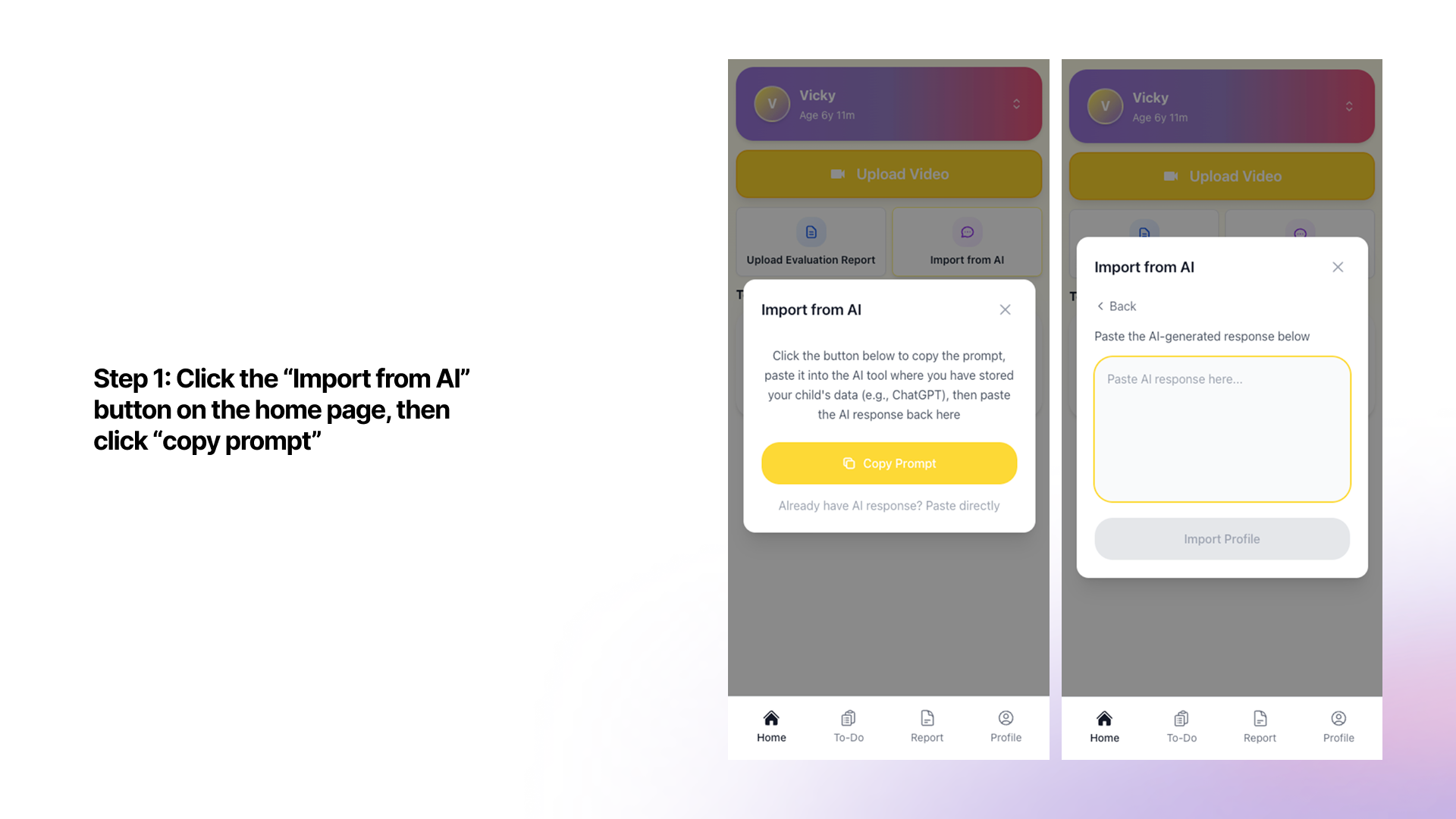
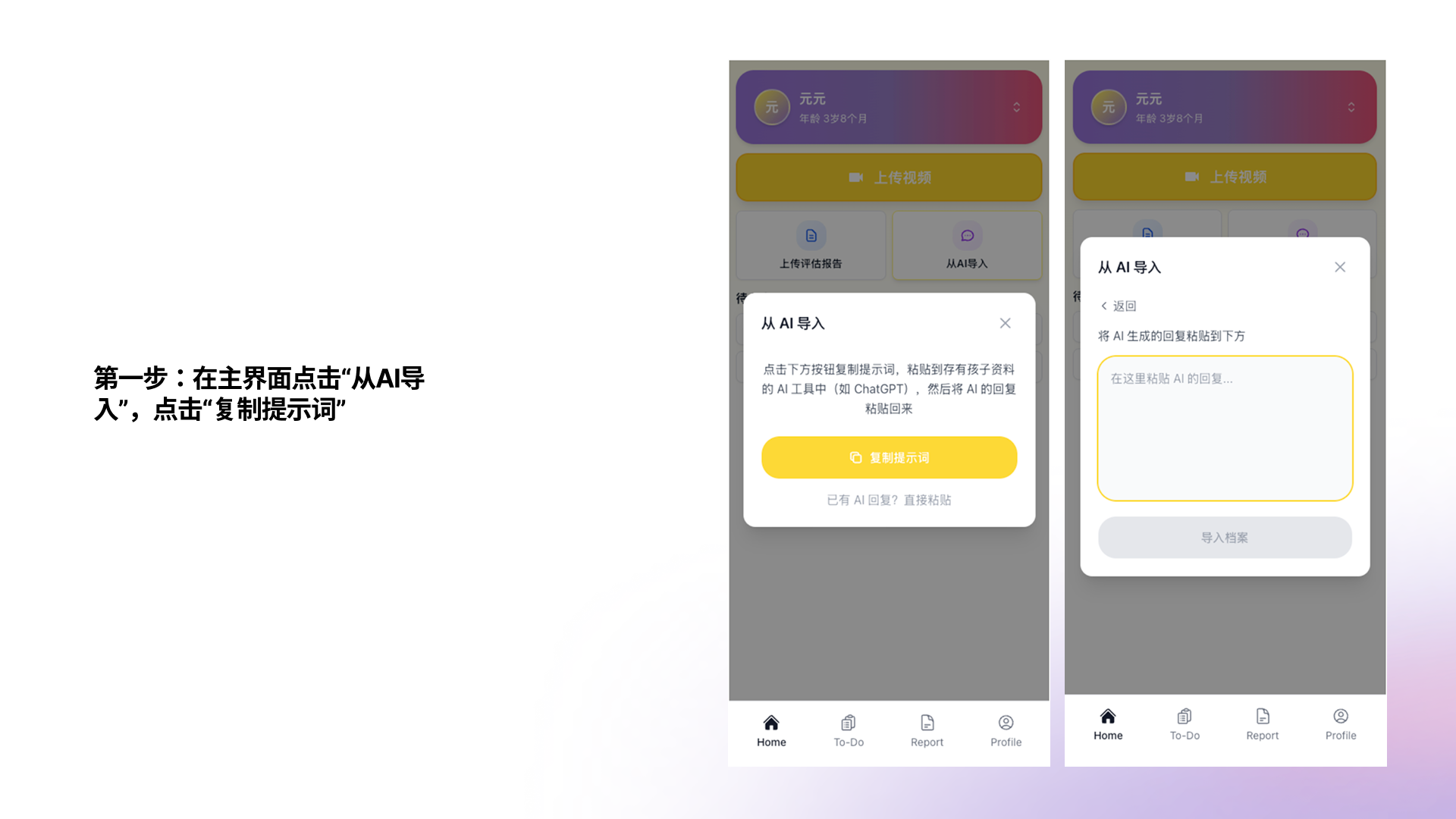
On the home screen, tap "Import from AI", then tap "Copy Prompt". Paste the prompt into ChatGPT or another AI tool where you've stored your child's information. Copy the AI's response and paste it back into Kidooo to generate a profile instantly.
💡 All videos and documents are encrypted at rest and in transit. Kidooo never sells your data. See our Privacy Policy for full details.